KEY TAKEAWAYS
- Successful cloud migrations start with an inventory and a business case, not with moving servers.
- The “7 Rs” framework (retire, retain, rehost, relocate, repurchase, replatform, refactor) helps you choose the right path for each application.
- AWS and Microsoft Azure are both excellent. The better choice usually depends on your existing software, skills and licensing, especially Microsoft 365 and Windows Server.
In this guide
Moving to the cloud can make a business faster, more resilient and easier to scale. Done badly, it can also mean higher bills, outages and security gaps. The difference is almost always planning. This guide gives small and medium-sized businesses a practical checklist, explains the 7 Rs of migration in plain language, and compares Amazon Web Services (AWS) and Microsoft Azure.
Why businesses move to the cloud
- Resilience: managed backups, multiple availability zones and faster disaster recovery than a single office server.
- Scalability: capacity grows and shrinks with demand instead of buying hardware for peak load.
- Security tooling: identity management, encryption, logging and threat detection built into the platform.
- Remote work: staff in different cities and countries can securely reach the same systems.
- Predictable operations: less time patching hardware, more time improving the business.
The 7 Rs of migration
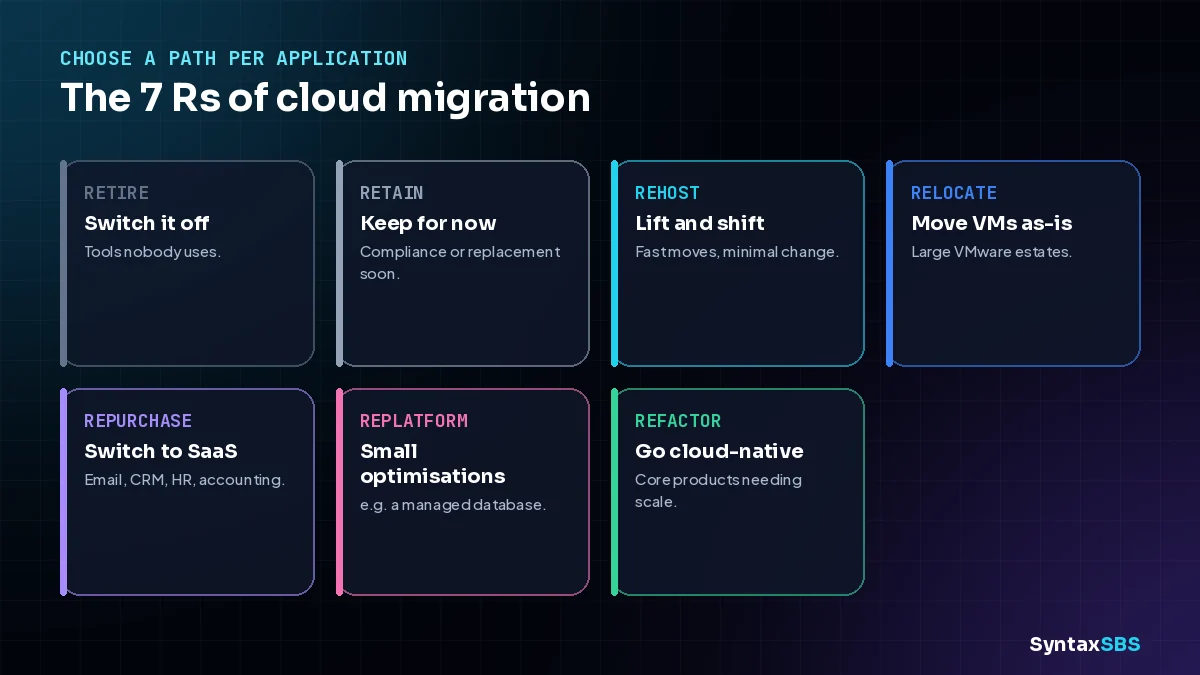
Not every application should move the same way. AWS popularised the “7 Rs” framework, which is useful whichever provider you choose:
| Strategy | What it means | Best for |
|---|---|---|
| Retire | Switch the application off | Tools nobody uses any more |
| Retain | Keep it where it is for now | Systems with compliance limits or upcoming replacement |
| Rehost (“lift and shift”) | Move servers as they are to cloud virtual machines | Fast moves with minimal changes |
| Relocate | Move whole virtualised environments with little change | Large VMware estates |
| Repurchase | Replace with a SaaS product | Email, CRM, HR and accounting tools |
| Replatform | Make small optimisations, such as a managed database | Apps that benefit from managed services |
| Refactor | Redesign the application for cloud-native services | Core products that need scale and agility |
Most small businesses use a mix: retire a few old tools, repurchase email and office software as SaaS, rehost a handful of servers, and replatform databases to a managed service.
AWS vs Azure for SMBs
| AWS | Microsoft Azure | |
|---|---|---|
| Strengths | Broadest range of services, mature ecosystem, strong for startups and web workloads | Deep integration with Microsoft 365, Entra ID, Windows Server and SQL Server |
| Identity | IAM and IAM Identity Center | Microsoft Entra ID (formerly Azure AD) |
| Migration tools | AWS Application Migration Service, Database Migration Service | Azure Migrate, Azure Database Migration Service |
| Licensing advantage | Flexible options for many operating systems | Azure Hybrid Benefit can reduce costs for existing Windows Server and SQL Server licences |
| Typical fit | Cloud-first products, Linux, web apps, analytics | Microsoft-centric offices and Windows workloads |
Our practical rule: if your business already runs on Microsoft 365 and Windows servers, Azure often reduces friction and licence costs. If you are building web products or prefer Linux and open-source tools, AWS is a natural fit. Google Cloud is also a strong option, especially for data and analytics workloads.
The migration checklist
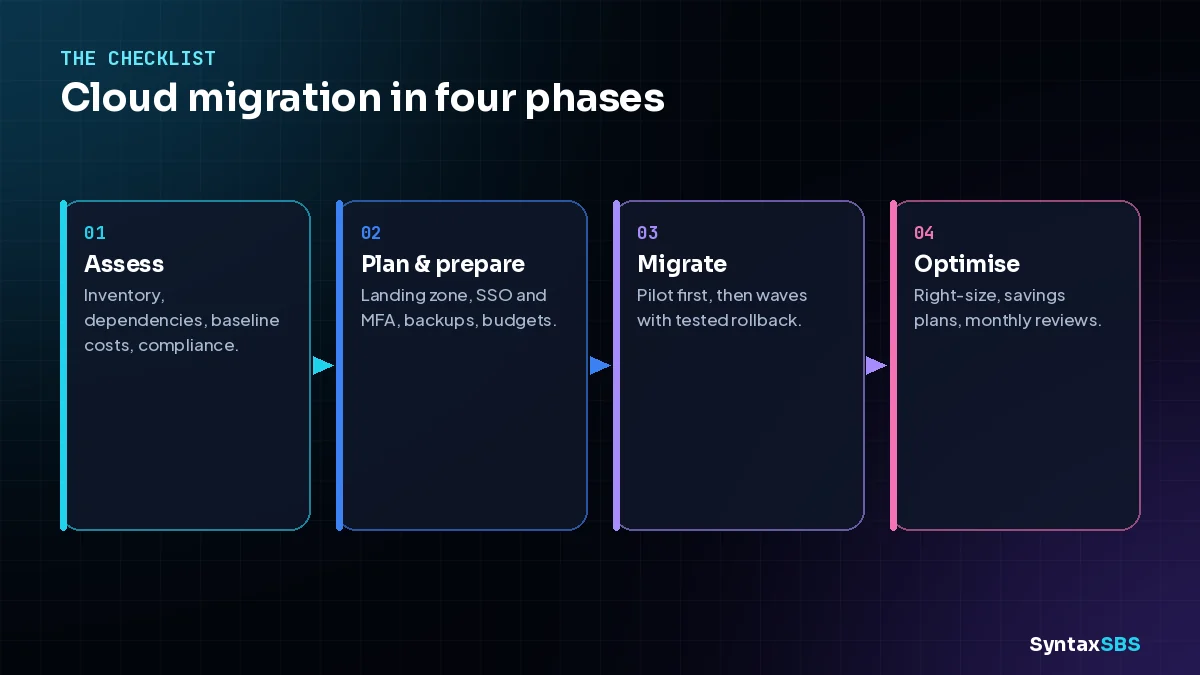
Phase 1: Assess
- Inventory every server, application, database and integration, including who owns each one.
- Map dependencies so you know which systems must move together.
- Record current performance and costs as a baseline.
- Note compliance requirements such as data residency, GDPR, HIPAA or PCI DSS.
- Choose a strategy from the 7 Rs for each application.
Phase 2: Plan and prepare
- Design a landing zone: account or subscription structure, networking, identity, logging and security baselines.
- Set up single sign-on and multi-factor authentication before anything moves.
- Define backup, recovery time and recovery point objectives.
- Estimate costs with the provider’s pricing calculator, then set budgets and alerts.
- Plan a migration schedule in waves, starting with low-risk systems.
Phase 3: Migrate
- Run a pilot migration with one non-critical application.
- Replicate data, test thoroughly, then schedule cutover in a quiet period.
- Keep a tested rollback plan for every wave.
- Update DNS, firewall rules and documentation as each system moves.
Phase 4: Optimise
- Right-size instances based on real usage after a few weeks.
- Use reserved capacity or savings plans for steady workloads.
- Switch off development environments outside working hours.
- Review security findings and costs every month.
Security and the shared responsibility model
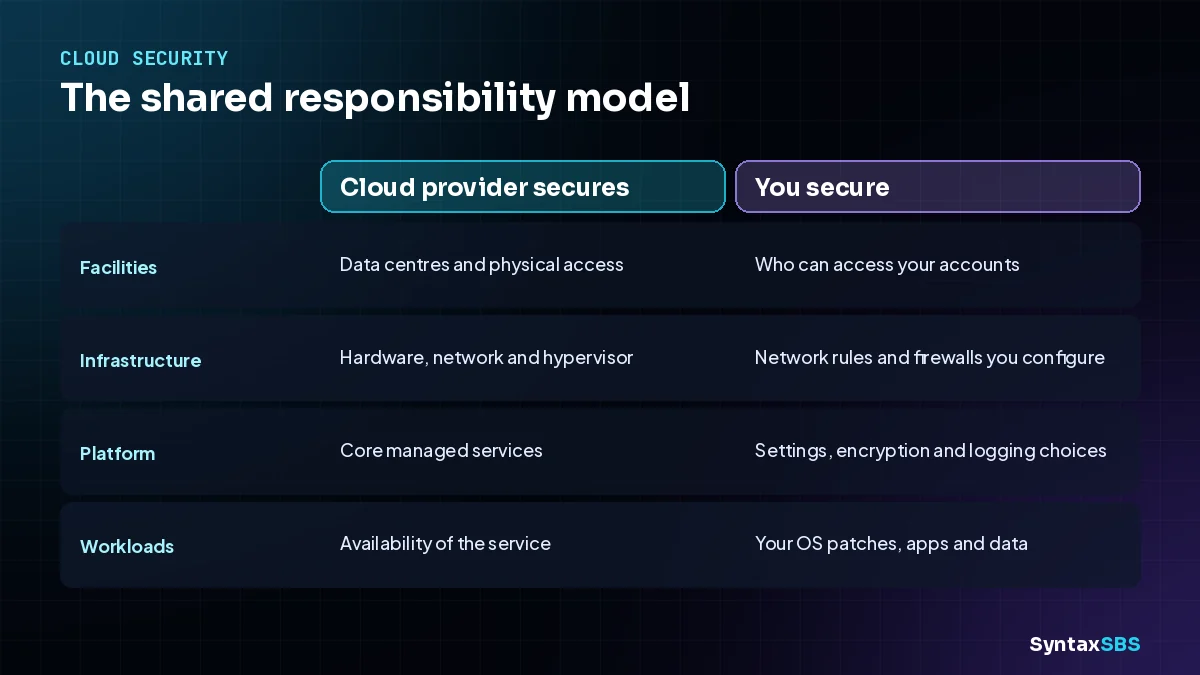
Cloud providers secure the underlying infrastructure: data centres, hardware and the core platform. You remain responsible for how you configure it: identities and permissions, network rules, data encryption settings, patching your own servers and protecting your applications. Most cloud data exposures come from misconfiguration on the customer side, such as public storage buckets or overly broad permissions.
Enable logging from day one, apply least-privilege access, encrypt data at rest and in transit, and run a cloud configuration review or security test after migration.
Keeping cloud costs under control
- Tag every resource with an owner and project so you can see who spends what.
- Set budget alerts at 50, 80 and 100 percent of your monthly target.
- Delete unattached disks, old snapshots and idle load balancers.
- Choose storage tiers based on how often data is accessed.
- Review the bill monthly with someone who understands both the technology and the business.
Common mistakes to avoid
- Lifting and shifting everything without retiring unused systems first.
- Migrating before identity, MFA and logging are in place.
- Ignoring data transfer and egress costs in the budget.
- Forgetting to test restores in the new environment.
- Leaving no one accountable for monthly cost and security reviews.
A cloud migration is not a single event. The real value comes from the months after cutover, when you optimise cost, performance and security.
Planning a move to AWS or Azure? We assess, migrate and manage cloud environments for growing businesses.